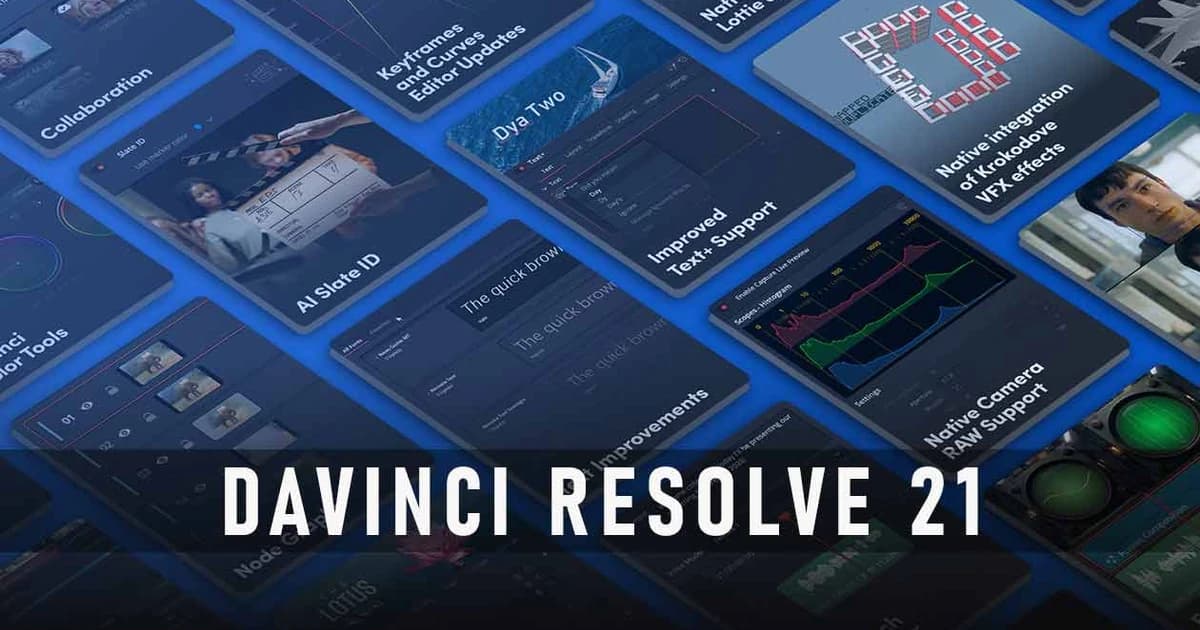
Blackmagic Design’s DaVinci Resolve 21 is a major update that expands the software beyond video‑only grading into a full‑fledged photo‑editing environment, with a brand‑new Photo page and a raft of AI‑driven tools and workflow tweaks. The headline change is the Photo page, which lets you import, organize, and edit still images directly inside Resolve, using many of its color‑correction and grading tools on photos, not just clips. The interface is built to feel familiar to existing Resolve users while still being approachable for photographers who mainly work with stills.
On the photo side, the update brings things like AI‑powered search to quickly find images by subject, plus rating, labeling, and batch‑style workflows for large photo libraries. You can also import from Apple Photos and Adobe‑style catalogs, and sync projects via Blackmagic Cloud for multi‑user collaboration. The Photo page ties into the Color page, so you can apply node‑based grading, Resolve FX, and LUTs to stills, plus use tools such as cropping, noise reduction, sharpening, and Film Looks presets. Over 100 GPU‑accelerated Resolve FX and AI‑assisted tools are available for still‑image work, organized by category so you can quickly pull up things like skin‑tone adjustments, sharpening, or stylized looks.
Beyond photos, Resolve 21 adds several new AI‑driven features for video and color, including AI‑based blemish removal, ultra‑sharpening, and motion‑blur reduction on moving images. There are also refinements to node‑based workflows, with node graphs now toggling between classic node view and a layer‑style list, and node stacks supporting up to eight layers for more complex comps. Other additions include updated HDR scopes, ACES workflow improvements, OpenFX 1.5 color‑management APIs, and multicam angle previews, plus performance and stability tweaks across the board. For users who tether Sony or Canon cameras, Resolve 21 lets you control ISO, exposure, and white balance directly from the interface, and run GPU‑accelerated batch exports and conversions to speed up delivery‑driven workflows.
For photographers and hybrid video‑photo creatives, this update positions Resolve 21 as a serious alternative to tools like Adobe Lightroom and Photoshop, especially if you already live in a Resolve‑based pipeline. Video‑centric colorists and editors get a richer node‑based and AI‑assisted set of tools, but the big novelty is the Photo page, which effectively turns Resolve into a hybrid “all‑in‑one” post suite that can handle both stills and motion.